One shopping list. All your supermarkets.
Every day SingleMall compares supermarket prices, from Esselunga to Conad and Carrefour (see every one connected), at the outlets you choose. Write your list once: see what it costs in each shop, where every product is cheaper, and share it with whoever shops with you.
It runs as an Android app and in your browser, on any device. It is a personal project with no company behind it: no ads, no tracking, and your data stays yours.
Already have an account? Sign in

Received an invitation?
Two steps and your account is ready.
- Open the link in the invitation message. It opens in your browser, on any device.
- Choose your password. Your e-mail address is already filled in, and your account is ready.
Then choose how to use SingleMall:
The Android app
- Open this page on your phone and tap "Get the Android app".
- Android asks permission to install apps from this browser: allow it. It asks for every app that does not come from the Play Store.
- Open the file and confirm the install.
- Sign in with the e-mail address from the invitation and the password you chose. From then on the app updates itself.
- SHA-256
- —
Needs Android 12 or later.
In your browser, on any device
- Tap "Open in your browser". It works on iPhone, iPad, Mac, Windows, Linux and on Android too.
- Sign in with the e-mail address from the invitation and the password you chose.
- Add SingleMall to your Home screen or Dock if you like: it opens like an app, full screen.
Your list, favourites, prices, group and meal plan are the same as in the app. What it lacks are the widgets and notifications while it is closed.
No invitation? There is no sign-up: ask whoever told you about SingleMall. Only the person who runs it can create one.
How it works
Four steps, each with its own chapter in the guide.
-
Choose your shops
The outlets where you actually shop. The prices are theirs, updated daily: no averages, no estimates.
Guide: shops →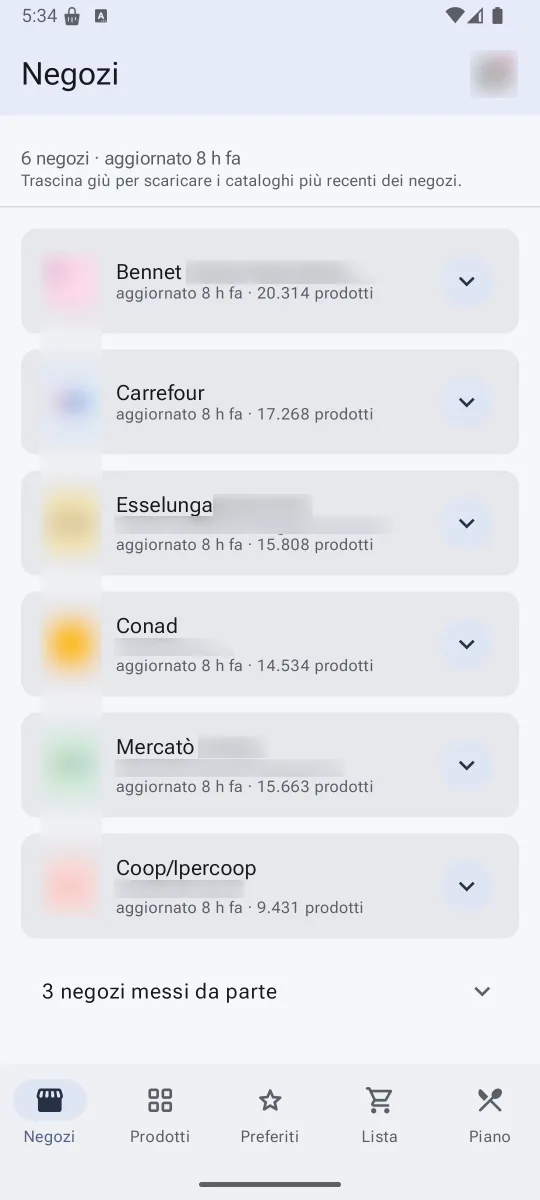
-
Build your list
A single word, "eggs", or a description, "gluten-free pasta". Or scan the barcode. SingleMall finds the product and files it under the right aisle.
Guide: the list →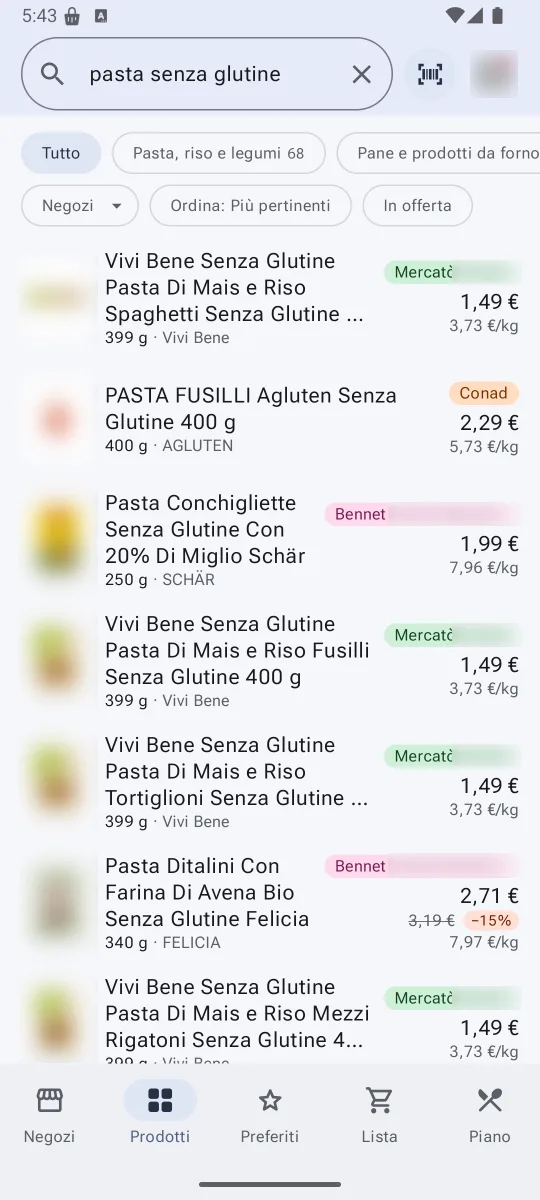
-
Compare prices
The total in each shop, the product that is cheaper elsewhere, how every price has moved over time. And a notification when your favourites go on offer.
Guide: prices and offers →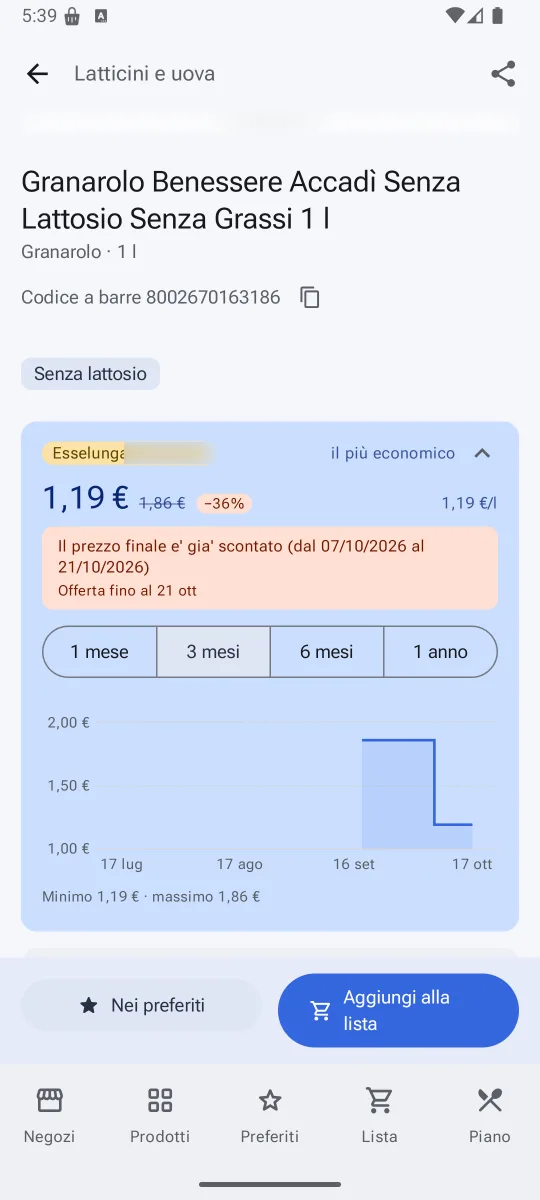
-
Share the shopping
One list for the whole household: every addition or tick reaches the other devices within seconds. Allergies, intolerances and the meal plan, if you add them, shape the list.
Guide: the group →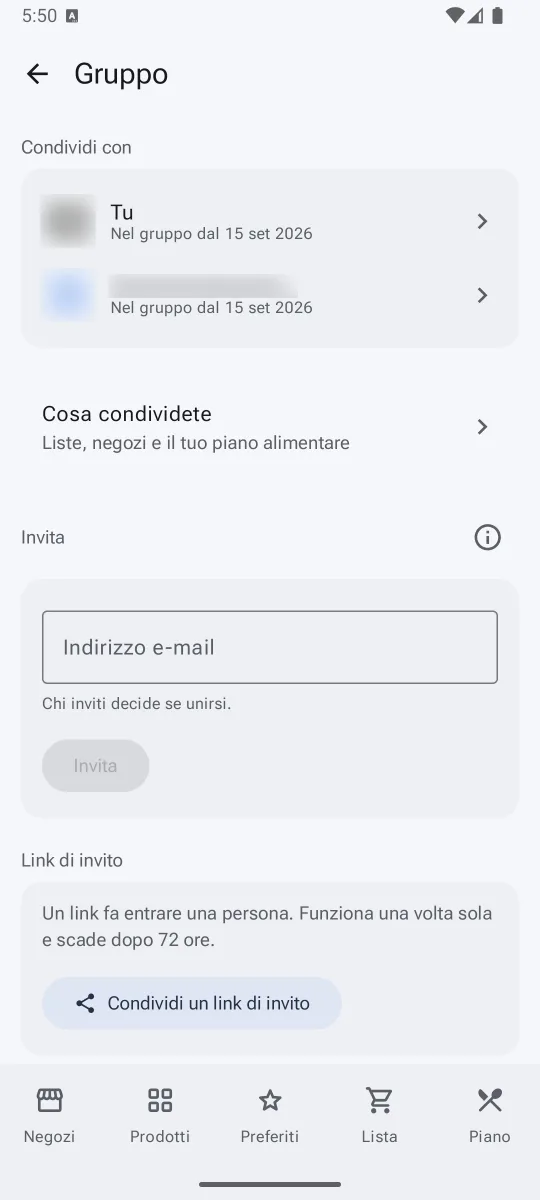


And more
It works with Claude and Home Assistant, is useful without a group too, and installs on your phone and your computer. The rest is in the questions.
Your data
The server keeps only your sign-in, your list, your favourites, your group and, if you add them, your meal plan and allergies. The catalogue is shared by everyone. No ads, no tracking. What SingleMall keeps →