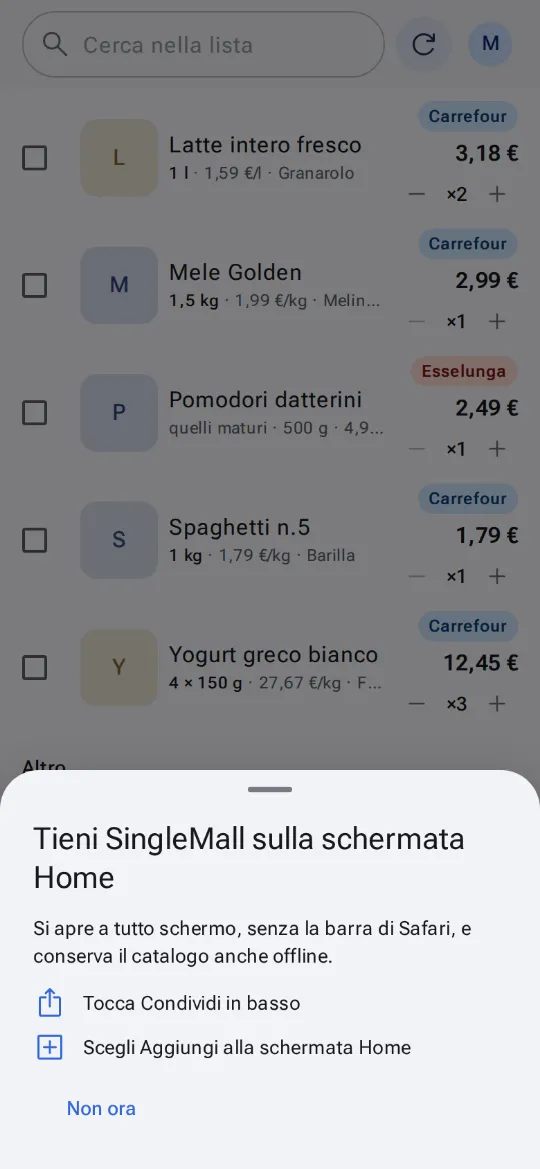
In your browser, on any device
On iPhone, iPad, Mac, Windows, Linux and on Android too, SingleMall runs in your browser with the app's features: list, favourites, prices, group and meal plan. Added to your Home screen or Dock, it opens full screen.
- Open SingleMall in your browser and sign in with your e-mail address and password.
- On iPhone and iPad tap Share, then Add to Home Screen. SingleMall suggests it on your first visit.
- On a computer use the Install icon in the address bar (Chrome, Edge) or File → Add to Dock (Safari on a Mac).
In the browser no notification arrives while SingleMall is closed. Alerts about offers on your favourites need the Android app.
Questions
Can I use both the app and the browser?
Yes, with the same account: there is one list, wherever you open it.
Where do I see the devices signed in?
In Settings → Your devices, where you can sign one out at any time.
What is missing compared with the Android app?
The widgets, notifications while it is closed and, in some browsers, barcode scanning with the camera.